How to Protect Your Data on Social Media: A Complete Security Guide
Why Social Media Security is More Important Than Ever
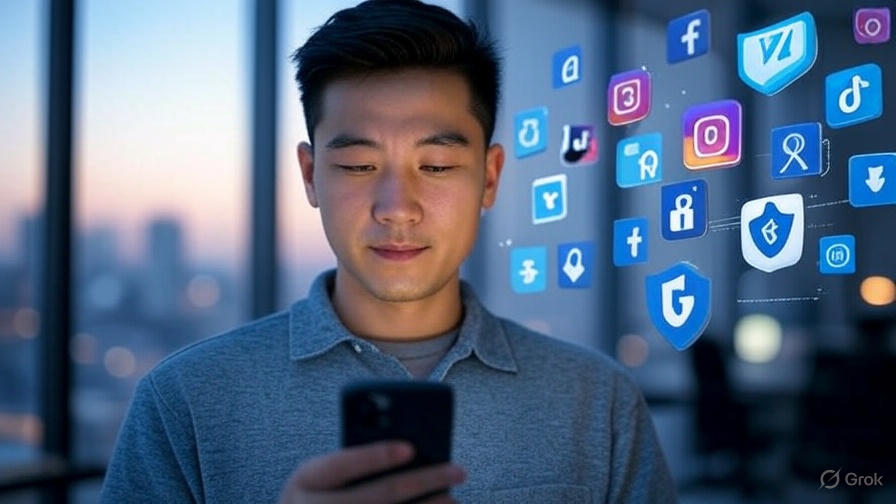
In the age of digital technology, our lives are increasingly intertwined with social media. We share photos, personal thoughts, locations, and other confidential information. But do we consider who has access to this data? According to research, about 76% of social platform users do not pay enough attention to privacy settings, exposing themselves to serious risks.
Protecting data on social media is not just a trendy topic, but a necessity in the modern world. A leak of personal information can lead to a range of problems: from unwanted marketing calls to serious cases of identity theft and financial fraud.
In this article, we will explore effective ways to secure your accounts, adjust privacy settings, and protect personal data from prying eyes.
Main Security Threats on Social Media
Before we move on to solutions, it is important to understand what we are facing:
- Phishing attacks — fraudulent messages and links aimed at stealing your credentials
- Account hacking — unauthorized access to your profile
- Data collection by third parties — companies may collect and use your information for their purposes
- Online stalking — unwanted attention from strangers
- Data leaks — when your information becomes publicly available
How to Make Your Profile Private on Different Social Media Platforms
One of the first and most effective steps to security is to limit access to your profile. Let’s see how to do this on popular social networks:
How to Limit Access to Your Instagram Page
Protecting your Instagram account starts with simple but important settings:
- Open your profile and go to “Settings and Privacy”
- Select the “Privacy” section
- Activate the “Private Account” option
- Also, in the “Comments” section, you can set who can comment on your posts
After these actions, your posts will be visible only to confirmed followers, and you will be able to control subscription requests personally.

Facebook Privacy Settings for Maximum Protection
Facebook offers a wide range of tools to protect your privacy:
- Go to “Settings and Privacy” through the menu in the upper right corner
- Select “Privacy Settings”
- Set restrictions for the question “Who can see your future posts” (recommended: “Friends”)
- In the section “How people find and contact you,” limit search options
- Visit the “Your Information on Facebook” section to control what data you provide
How to Hide Friends on Facebook for Increased Privacy
Your friends list can reveal more about you than you think:
- Go to your profile page
- Click on the “Friends” tab
- Find the settings icon (usually in the form of a pencil or gear)
- Select “Edit Privacy”
- Set the value to “Only Me” for maximum protection
How to Enable Two-Factor Authentication for Reliable Protection
Two-factor authentication is an additional layer of security that significantly reduces the risk of unauthorized access to your account.
How to Enable Two-Factor Authentication on Instagram
Protecting your Instagram account will become much more effective with this feature:
- Go to “Settings and Privacy”
- Select “Security”
- Click on “Two-Factor Authentication”
- Choose your preferred method: SMS, authenticator app, or both
- Follow the instructions to complete the setup
After activating this feature, logging into your account will require not only a password but also a temporary code, making hacking almost impossible.
Facebook Security Settings with Two-Factor Protection
Facebook also offers reliable account protection:
- In settings, select “Security and Login”
- Find the “Two-Factor Authentication” section
- Click “Edit”
- Select a protection method: SMS, authenticator app, or security key
- Complete the setup by following the system instructions

How to Limit Comments on Instagram and Other Social Networks
Negative comments can spoil the experience of using social media. Here’s how to protect yourself from them:
- Open Instagram privacy settings
- Go to the “Comments” section
- Select who can comment on your posts: “Everyone”, “People you follow and your followers”, “People you follow”, or “Your followers”
- Enable the offensive comment filter
- If necessary, create a personal list of blocked words
For particularly sensitive content, you can completely disable comments on specific posts by clicking “…” above the post and selecting the appropriate option.
How to Clear Your History on Facebook and Other Platforms
Your online history may contain more information than you would like to disclose:
Clearing Activity History on Facebook
- Go to “Settings and Privacy”
- Select “Your Activity on Facebook”
- Click on “Activity Log”
- Use filters to find specific types of activity
- Select the entries you want to delete and click “Delete”
For a more extensive cleanup, you can use the “Clear History” tool, which allows you to delete data about your interactions with websites and apps outside of Facebook.
Managing Data on Other Social Networks
Most platforms offer tools for managing history and data:
- Instagram: Go to “Your Activity” in settings to view and delete your activity history
- Twitter: Use privacy and security settings to clear search history and other data
- LinkedIn: In the “Data and Privacy” section, you can manage your data

Additional Tips for Protecting Data on Social Media
In addition to basic settings, there are several additional measures that can help you secure your online life:
- Use complex passwords — create unique combinations for each platform, including letters of different cases, numbers, and special characters
- Regularly update passwords — experts recommend changing them every 3-6 months
- Be cautious with public Wi-Fi — avoid logging into accounts over unsecured networks
- Check connected apps — regularly review the list of third-party services that have access to your accounts
- Do not share personal information — address, phone number, and document details are better left unpublished on social media
Conclusion: Your Security is in Your Hands
Protecting data on social media is not a one-time action, but an ongoing process that requires attention and a conscious approach. By applying the recommended security settings and following the principles of digital hygiene, you significantly reduce the risks associated with data leaks.
Start right now — check the privacy settings of your accounts, enable two-factor authentication, and be mindful of what information you share online. Remember, it is always easier to prevent a problem than to deal with its consequences.
What security measures are you already taking to protect your social accounts? Share in the comments and help other users make their online space safer!